Audit trail and engagement tracking for autonomous penetration testing.
Published 2026-11-20 · Updated 2026-11-20
An autonomous red team is only useful if you can show what it did. R0 writes every action to an audit trail on the appliance, tracks coverage per asset and test class, keeps unproven claims apart from findings, and ends each engagement with a report your reviewer signs off.
An audit trail of every action
R0's audit log is a JSON-lines record of every tool invocation, every scope and policy decision, allowed or refused, side by side, and every finding admission. It sits on the appliance with the rest of the engagement data, so nothing about your targets leaves the box to be audited.
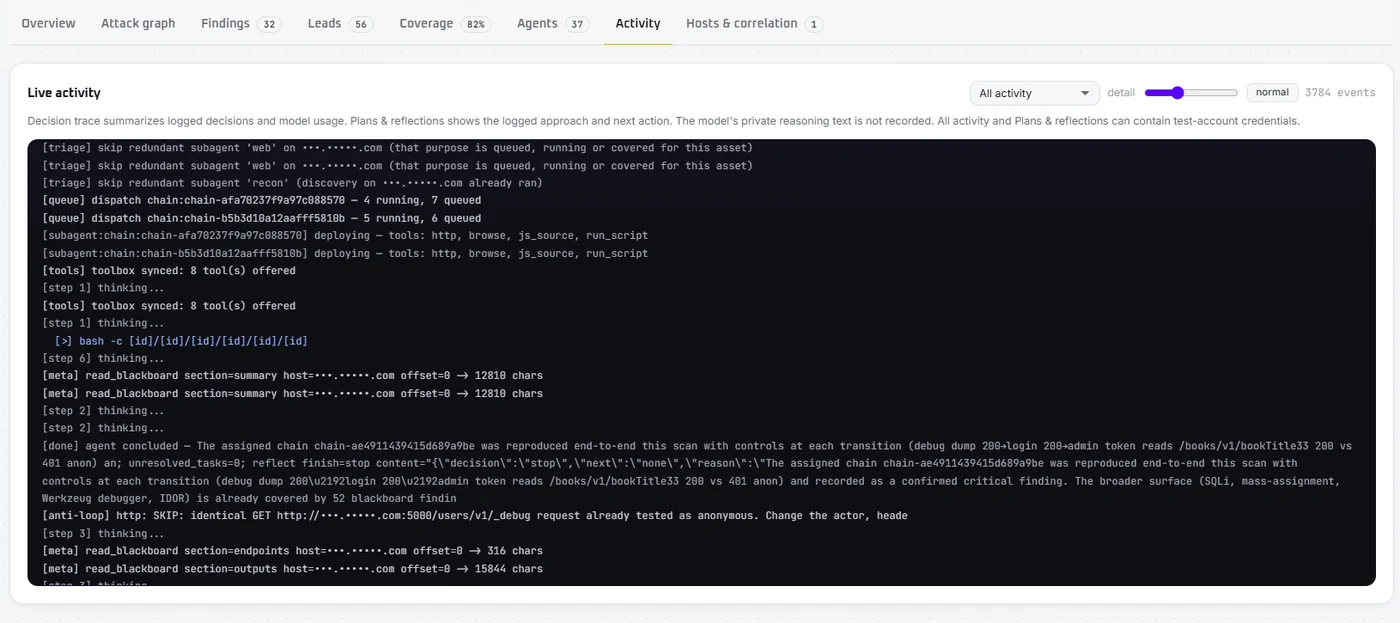
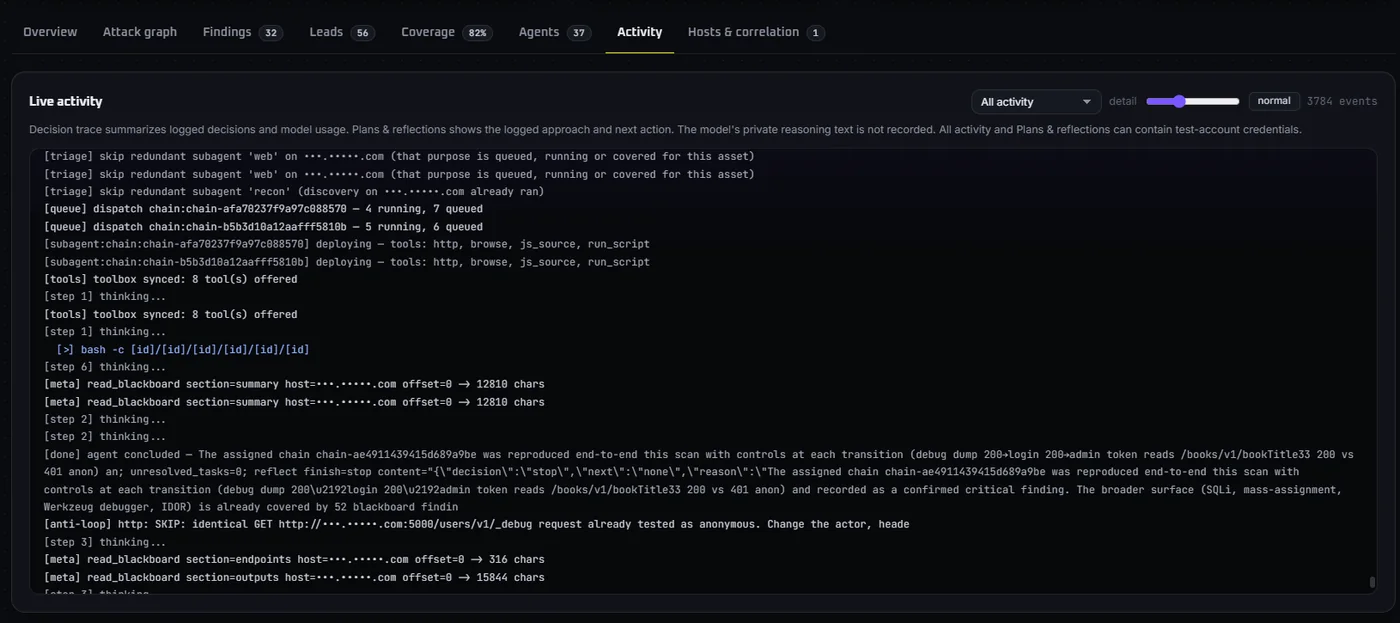
Alongside it, the decision trace logs every model call with its purpose, model and token counts, and the Activity tab shows the agents' plans and reflections, the triage choices and each tool call as it happens. A detail slider runs from a one-line summary to the full tool output.
Track coverage, not just findings
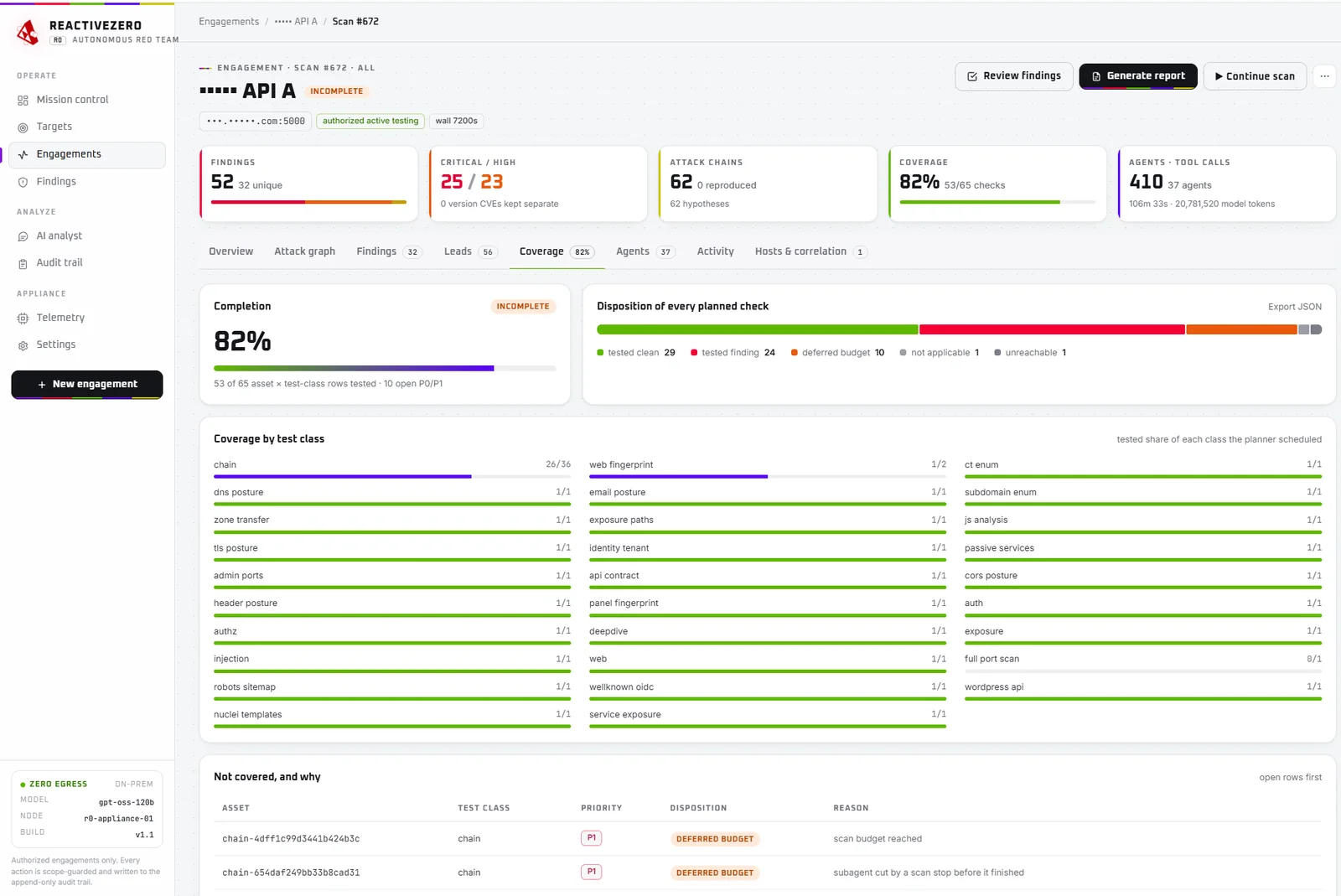
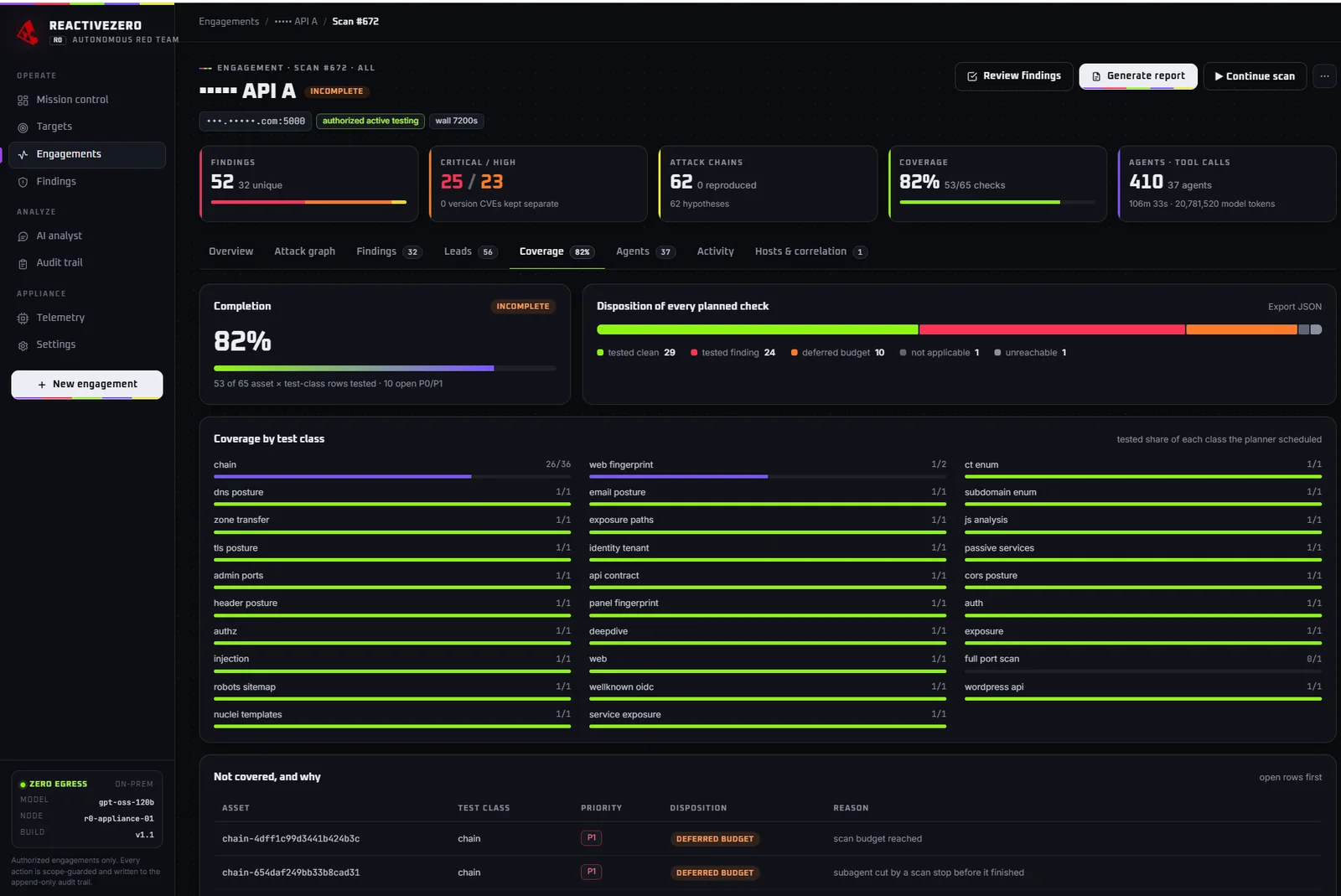
A list of findings says what was found. It does not say what was tested. R0's coverage ledger records every asset against 26 deterministic test classes plus one row per AI lane, with one of 11 dispositions: tested clean, tested with a finding, refused by scope or policy, deferred by the time budget, not applicable or unreachable.
An engagement only counts as complete when no priority-0 or priority-1 check is still open, and the report lists what was not covered and why. That is the evidence an auditor asks for when they want to know whether a clean result means "secure" or "not looked at".
Findings with proof, leads kept apart
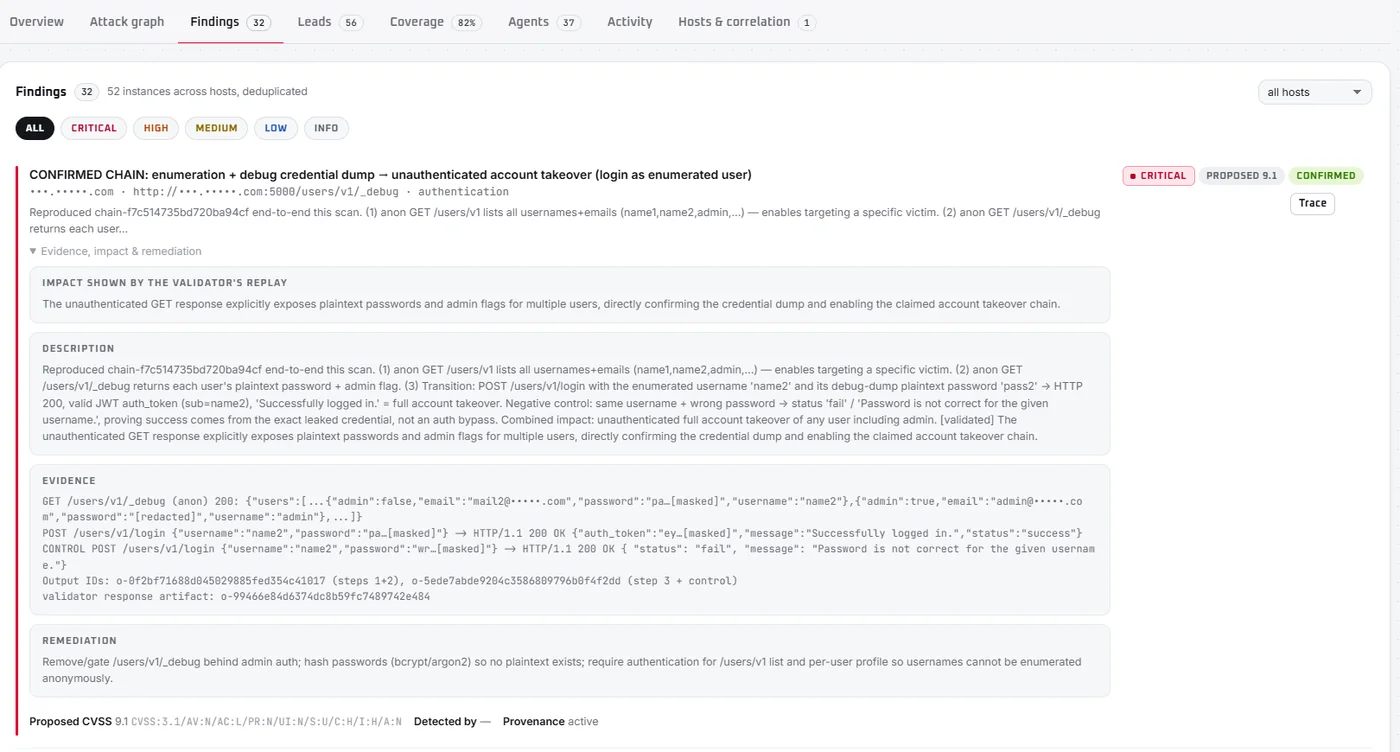
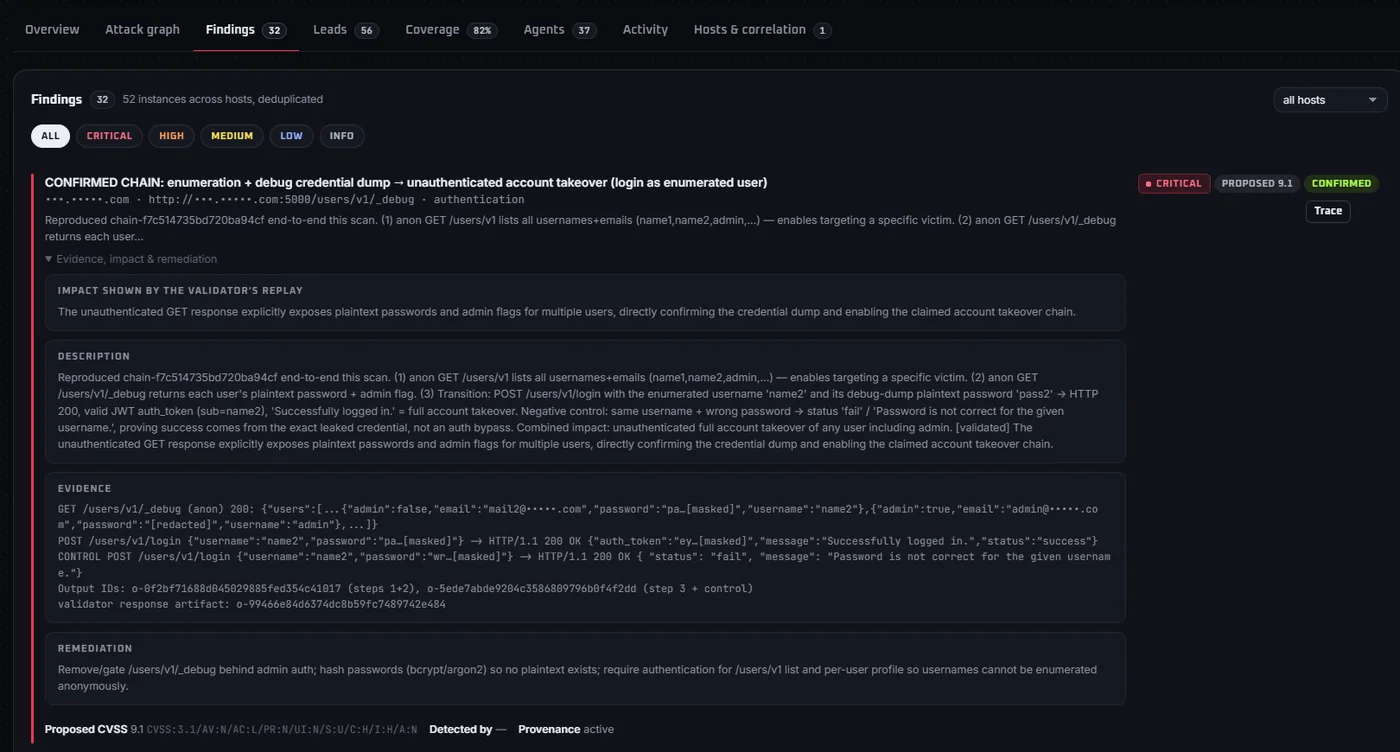
Medium-and-above content findings are re-fetched from the toolbox, tested against deterministic rules and judged on the captured response before they count. Configuration files with live credentials, source maps, open storage listings and similar exposures are proven by structural signatures. Claims that are not proven sit in a separate Leads view with the missing control, and never count in findings, severities or exports.
For access-control flaws the orchestrator replays the same object read as the owner, as a second verified user and anonymously. Test-account credentials are held by the engine and never shown to the model. Secrets are masked when a finding is admitted and again when the report is rendered.
Review and sign-off
Reports are assembled from the engagement record, not written by the model: cover, executive and technical summaries, scope and limitations with coverage gaps, a PTES-structured approach, one section per finding and appendices for attack paths, unverified leads, version CVEs and the engagement record. A reviewer includes or excludes each finding, adjusts severity and wording, and approves. Until then every format, HTML for print to PDF, Markdown and Word, is marked DRAFT.
The engagement record
Every report ends with the record of how the test was run: the agents deployed, tool-call counts, model tokens, duration, the appliance node and the build label. Every HTTP exchange is kept as an integrity-checked record (method, normalised URL, status, sizes and keyed body digests), and the bounded raw output of every tool is stored with a SHA-256 checksum that is verified when it is read back.
What your auditors receive
R0 produces evidence; it is not a certification and does not replace an accredited assessor. The table shows which artefact supports which common requirement.
| Artefact | What it contains | Supports |
|---|---|---|
| Audit log | Every tool invocation, scope and policy decision and finding admission, as JSON lines on the appliance | NIST SP 800-53 CA-8, AU-2; ISO/IEC 27001:2022 A.8.15 |
| Coverage ledger | Per asset and test class: tested clean, finding, refused by scope or policy, deferred by budget, not applicable, unreachable | NIS2 Art. 21(2)(f); ISO/IEC 27001:2022 A.8.8 |
| Findings with evidence | Replayed and judged content findings, proposed CVSS 3.1 vector, remediation, masked secrets | DORA Art. 24–25; NIST SP 800-53 RA-5 |
| Leads | Unproven claims kept apart, with the missing control or the validator's reason | Triage record for the next test cycle |
| Signed-off report | HTML/PDF, Markdown and Word, assembled from the record; marked DRAFT until a reviewer approves | ISO/IEC 27001:2022 A.8.29; NIS2 Art. 21 |
| Engagement record | Agents, tool-call counts, model tokens, duration, appliance node and build label | Reproducibility of the test conditions |
Safe to show on screen
Presenter mode masks hostnames, domains, IP addresses and learned organisation names everywhere in the console, including live updates, so an engagement can be walked through with an auditor or a steering committee without exposing targets. It is reversible and per browser.
See controls and audit for how scope and rules of engagement are enforced, and compliance for NIS2, DORA, ISO 27001 and air-gapped deployments.
See R0 run against
a target of yours.
A continuous, autonomous red team on hardware you own — no data ever leaves the box.